Book Copyright Page Examples: How to Write a Copyright Page for a Book, Ebook, or Novel (2026)
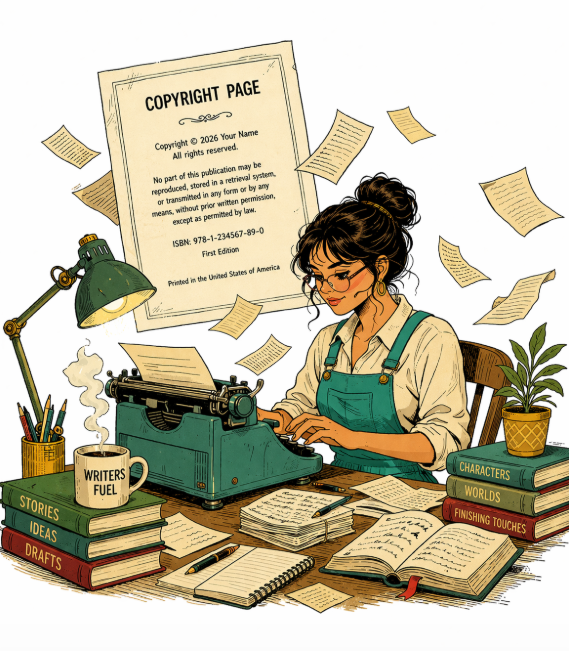
A book copyright page is one of the most misunderstood pages in publishing because it looks more legal and complicated than it usually is. In reality, most self-published authors only need a few core pieces: a book copyright notice, a rights statement, and any extra publishing details that actually matter for that edition. Amazon KDP’s own guidance shows a very minimal model, and the U.S. Copyright Office makes clear that copyright exists automatically once an original work is fixed in a tangible form, even though a copyright notice is still useful for clarity.
The page is not there to impress anyone with legal language. Its real job is to identify ownership, reserve rights, and carry the publishing details that make the book look complete and professional.
What a book copyright page actually does
A good copyright page of a book serves two practical purposes. First, it tells readers who owns the work and when that copyright was claimed. Second, it gives you a place to include publication details that may matter to retailers, distributors, libraries, and reviewers, such as the ISBN, edition, imprint, permissions contact, or printing details. That is the whole point of the page. It is not supposed to be dense for its own sake. This is also why a copyright page in a book is standard even though it is not strictly required by law. The Copyright Office says protection exists automatically at creation, but a notice still helps identify ownership. In practice, most authors still include a copyright page because it is a normal part of publishing and makes the front matter feel finished.
Do you legally need a copyright page?
Not always. But you will usually want one.
In the United States, a copyright notice is no longer mandatory for protection on modern works. The Copyright Office explains that the notice is optional, but still valuable because it informs the public that copyright is claimed and identifies the owner. So a copyright page book is best understood as a publishing best practice rather than the thing that creates your rights. (copyright.gov) For self-published authors, that is the most useful way to think about it. A copyright statement for books does not create the copyright, but it makes ownership clear, gives readers and retailers the details they may need, and helps the book look professionally produced.
For self-published authors, that is the most useful way to think about it. A copyright statement for books does not create the copyright, but it makes ownership clear, gives readers and retailers the details they may need, and helps the book look professionally produced.
What you’ll usually see on a copyright page
Below are the most common elements you’ll see on a modern book copyright page. Not every book needs every one of them, but this is the full menu authors and publishers typically work from.
- Copyright notice
- Rights reserved notice
- ISBN
- Library of Congress Control Number
- Disclaimers
- Permissions notice
- Credits
- Print edition
- CIP data block
- Ordering information
- Author’s website
- Printing details
- Trademarks
- Printer’s key
- Publisher information
That list looks long, but most books use only a handful of these. The simplest copyright page format may include nothing more than a copyright notice and a short rights statement. Everything else is optional and should be included only when it makes sense for your book, format, and distribution plan.
The easiest way to think about these elements
A cleaner way to organize a copyright page template is by layers:
Core elements
- Book copyright notice
- Rights reserved statement
Common additions
- ISBN
- Disclaimer
- Permissions notice
- Credits
- Edition line
- Author website
- Publisher or imprint name
More traditional or library-facing details
- Library of Congress Control Number
- CIP data block
- Ordering information
- Printing details
- Trademarks
- Printer’s key
That structure makes the page easier to build because you stop treating it like a checklist where everything must appear.
1. Copyright notice
The book copyright notice is one of the two most common elements on the page. A proper notice generally includes three parts: the copyright symbol, the year of first publication, and the name of the copyright owner. The Copyright Office specifically recognizes the symbol ©, the word “Copyright,” or the abbreviation “Copr.” as acceptable notice forms.
A standard example looks like this:
Copyright © 2026 Jane Author
That is the core of a copyright notice for book pages, and it is often all you need to establish clarity.
If you use a pen name or company name
You can list a pen name or a publishing company instead of your personal name on the page. The benchmark article notes that either a pen name or company name is commonly used, which is especially helpful for privacy and imprint branding.
2. Rights reserved notice
The second core element is the rights statement. The shortest common version is:
All rights reserved.
That simple line is enough for many books. It does not create copyright by itself, but it clearly signals that you are not granting permission to copy or distribute the work. The benchmark article shows both the short form and longer expanded forms.
If you want a fuller copyright reserved example, you can use:
All rights reserved. No part of this publication may be reproduced, distributed, stored, or transmitted in any form without prior written permission, except as permitted by copyright law.
That gives you a stronger copyright text for book without making the page feel bloated.
3. ISBN
An ISBN identifies a specific book product in the marketplace. It is not a legal requirement for copyright, but it is often an important publishing detail, especially for print books and wide distribution. The benchmark page explains that Kindle ebooks may not require an ISBN, while many print and multi-retailer situations do. Apple Books notes ISBNs for ebooks are optional on its platform. (support.apple.com)
A simple ISBN line looks like this:
ISBN 978-1-23456-789-0
If you are assigning ISBNs, each distinct format is usually treated as its own product: paperback, hardcover, EPUB, audiobook, and so on. The International ISBN Agency explains ISBN assignment by product form, and the benchmark article highlights the same point. (isbn-international.org)
4. Library of Congress Control Number
A Library of Congress Control Number, or LCCN, is most useful if you want libraries to catalog your print book more easily. The benchmark page notes that it is free through the U.S. Preassigned Control Number program and is intended for U.S. publishers planning to distribute print books to libraries. It is not the same thing as CIP data. (loc.gov)
Most self-published authors will not need this unless library distribution is part of the plan.
5. Disclaimers
A copyright disclaimer for books is where you set expectations and reduce misunderstandings. Fiction often uses a “this is a work of fiction” disclaimer. Nonfiction may include legal, medical, financial, or professional-advice language. Memoir may need privacy language. The benchmark article also notes that disclaimers are especially relevant in legally sensitive categories like investing or health, and that they help but do not override the law.
A fiction disclaimer might read:
This is a work of fiction. Names, characters, places, and incidents are either products of the author’s imagination or are used fictitiously.
A nonfiction disclaimer might read:
This book is intended for informational purposes only and does not constitute legal, medical, financial, or professional advice.
6. Permissions notice
A permissions notice is not the same as a credit line. You include it when you have used copyrighted material owned by someone else with permission. The benchmark page makes this distinction clearly: permissions are for outside copyrighted material; credits are generally for collaborators you hired or worked with directly.
A simple permissions line:
For permissions inquiries, contact hello@yourpress.com
7. Credits
A credits page in a book is not identical to the copyright page, but short credit lines are often placed there. Common examples include the cover designer, photographer, formatter, editor, or proofreader. The benchmark page specifically mentions cover designers, photographers, formatting services, editors, and proofreaders.
Examples:
Cover design by Maya Lee
Illustrations by Alex Rowan
Edited by Jordan Lane
This is useful for searches like book credits page, book credit page, and credits page in a book.
8. Print edition
A print edition line is useful if the book is not the first edition, or if you want to identify a meaningful revision. The benchmark article makes an important distinction here: an edition is a real content revision, not a routine reprint.
Examples:
First edition
Second edition
Third edition, December 2026
9. CIP data block
A CIP data block is primarily for libraries, and most self-published authors will not have one. The Library of Congress issues CIP data to eligible publishers; it is not something authors create for themselves. The benchmark page correctly notes that most self-published authors are not eligible and do not need it. (loc.gov)
So if you are building a normal indie copyright page for self published book projects, you can usually omit this.
10. Ordering information
Ordering information is mainly for readers, bookstores, schools, or organizations that want to purchase additional copies. The benchmark article notes that this is often irrelevant for self-published ebooks and many indie authors leave it out entirely unless they sell direct or in bulk.
Example:
For bulk orders or classroom purchases, contact orders@yourpress.com
11. Author’s website
An author website is optional, but often worth including, especially in print books or wide ebook distribution where readers may not otherwise see your profile. The benchmark article recommends it for discoverability and continuity.
Example:
www.janeauthor.com
12. Printing details
Printing details are more common in traditional publishing and offset print runs than in print-on-demand or ebooks. The benchmark article mentions environmentally friendly printing practices, printing location, and fonts as examples.
Examples:
Printed in the United States of America
Set in Garamond and Minion Pro
Printed on FSC-certified paper
13. Trademarks
Trademark notices belong on the page when relevant to names, logos, or imprints used in the book. The benchmark article correctly notes that the notice does not create trademark rights; it simply acknowledges existing ones.
Example:
Northlight Press and the Northlight logo are trademarks of Northlight Media LLC.
14. Printer’s key
A printer’s key is that number string you sometimes see near the bottom of the page. It is mainly for the publisher’s production department and helps identify the printing number, and sometimes the printing year. The benchmark page also explains that it differs from an edition number: one edition can have multiple printings. It is generally unnecessary for self-published ebooks and most print-on-demand books.
Example:
10 9 8 7 6 5 4 3 2 1
For collectors, the lowest number usually indicates the printing.
15. Publisher information
Traditional publishers often include an address, city, website, logo, or other contact details on the page. For self-published authors, the benchmark page notes that this is often replaced by an author name, imprint name, or website rather than a full corporate contact block.
Example:Published by Northlight Press
Seattle, Washington
www.northlightpress.com
Copyright Templates
Follow this link below to download some of the Copyright Page Templates
Get Copyright Template Collection here
|
Skip the Copyright Page Guesswork Entirely Levon is an all-in-one author workspace that applies professional formatting and typography to your manuscript, so pages like copyright and front matter come out publishing-ready by default. Join the Levon Waitlist → |
How to make sure your copyright page isn’t skipped on eReaders
One of the most practical points in the benchmark article has nothing to do with wording. It is about ebook behavior. Many ebooks do not open on the very first page of the file. Retailers and reading systems often jump readers to the estimated “real beginning,” which means the front matter — including the ebook copyright page — can be skipped on first open.
If you want readers to begin earlier in the file, you need to define the ebook’s start page inside your formatting workflow or EPUB metadata. That will not prevent readers from navigating elsewhere, but it lets you control where the first reading session begins. The benchmark article explains this in the context of formatting software, but the broader principle applies regardless of tool.
Common mistakes to avoid
A strong book copyright page example usually avoids the same small set of problems:
- copying dense legal text you do not need
- using a print ISBN on the ebook edition
- listing optional library details that do not apply to your book
- confusing credits with permissions
- treating a printer’s key like an edition line
- forgetting to update the year, edition, or contact details
- making the page so long it overwhelms the rest of the front matter
The best copyright examples for books are usually not the most elaborate ones. They are the ones that fit the book.
FAQ
What should be on a copyright page in a book?
At minimum, a copyright page in a book usually includes a book copyright notice and a rights statement. Depending on the edition, it may also include an ISBN, disclaimer, permissions notice, edition line, credits, or publisher information.
How do I write a copyright notice for a book?
A standard copyright notice example includes the copyright symbol, the year of first publication, and the name of the copyright owner. (copyright.gov)
What is the best copyright page template?
The best copyright page template is usually the simplest one that fits your format: a copyright notice, All rights reserved, and only the optional details your book actually needs.
Do I need an ISBN on the copyright page?
If your edition has an ISBN, it is smart to list it. But not every ebook requires one, and requirements vary by retailer and distribution strategy.
What is the difference between a copyright page and a credits page?
A credits page in a book acknowledges contributors. A copyright page identifies ownership and publishing details. Some books combine a few credits into the copyright page, but they are not the same thing.
What does “All rights reserved” mean?
It is a standard rights statement that makes clear you are not granting permission for others to reproduce or distribute the book without authorization, except where the law allows it.
Final takeaway
The best book copyright page is not the longest, most legal-sounding one. It is the one that clearly identifies ownership, includes the publication details that actually matter, and fits naturally within your front matter.